7 Best Video Doorbells With No Monthly Subscription
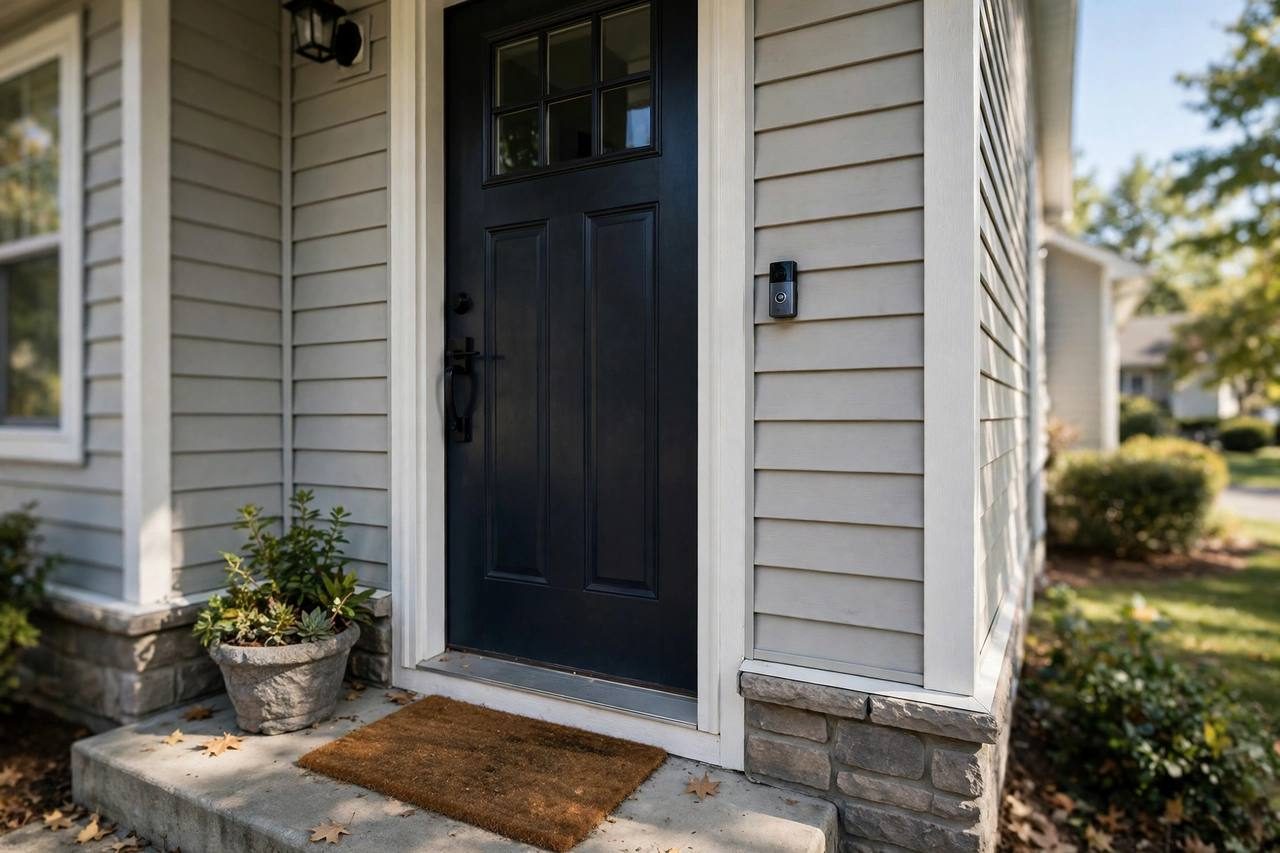
Most video doorbells are sold cheap and monetized through monthly plans: no subscription, no recorded video, just a live view. But a solid group of doorbells stores footage locally or includes genuinely useful free video history, so you never pay a monthly fee. These are the seven worth buying, with real prices and the tradeoffs nobody puts on the box.
What "No Subscription" Really Means
There are two ways a doorbell avoids monthly fees, and they behave differently.
Local storage: Footage saves to a microSD card in the doorbell, a base station, or a hub inside your home. You pay nothing, ever, and your video never sits on a company's servers. The downside is physical: if someone steals the doorbell, the footage goes with it, unless the doorbell also backs up to a base station indoors.
Free cloud tier: Some brands include a limited amount of cloud history, usually a few hours of event clips, at no charge. It is enough to check what happened today, but clips expire fast and longer history costs extra.
Both beat paying $5 to $10 per month forever. A $100 doorbell with local storage breaks even against a subscription doorbell in about a year.
The 7 Best Subscription-Free Video Doorbells
- 1. Eufy Video Doorbell E340 ($180): The best overall pick. Dual cameras watch the visitor and the packages at your feet, and footage stores locally on the HomeBase 3, which is usually bundled. Person and package detection run on-device, so nothing requires a subscription. The tradeoff is price and the HomeBase box taking up an outlet.
- 2. Reolink Video Doorbell, battery ($90 to $110): The value champion. Sharp 2K video, a microSD slot for local recording, and no hub required. Person detection works without a plan. Battery life runs a few months between charges in normal use. The app is functional rather than beautiful.
- 3. Wyze Video Doorbell v2 ($60): The cheapest decent option. A microSD card slot enables continuous local recording with no fees, and the price leaves room in any budget. Wyze pushes its Cam Plus plan in the app, but local storage works fine without it. Night vision is merely okay.
- 4. TP-Link Tapo D230S1 ($90): Includes a hub with built-in local storage, so clips live indoors even if the doorbell walks away. The Tapo app is clean and reliable, and the price undercuts Eufy significantly. Video quality is good rather than great.
- 5. Blink Video Doorbell plus Sync Module 2 ($60 plus $35): The doorbell alone is a bargain, but local storage requires the Sync Module 2 with a USB drive, so budget for both. Once paired, clips save locally with no fees. Blink's video quality and detection lag behind the picks above, but the price is hard to argue with.
- 6. Google Nest Doorbell, battery ($180): Includes three hours of event video history free, which covers checking today's deliveries and visitors. It is the best-looking app experience on this list and a natural fit for Google Home households. Longer history and intelligent alerts need a Nest Aware plan, so know the limits going in.
- 7. Wyze Duo Cam Doorbell ($90): The upgrade over the v2, with two cameras covering head-to-toe and a wider field of view for packages. Same microSD local storage story, no subscription needed. If the v2's field of view felt tight, this fixes it for $30 more.
Battery vs Wired: Installation Notes
Battery models are the renter default. Charge the battery every two to six months depending on traffic, temperature, and how often motion wakes the camera. Cold weather shortens battery life noticeably. Mount with a no-drill bracket or strong adhesive, and you are done in ten minutes.
Wired models tap into existing doorbell wiring for continuous power and usually support 24/7 recording to local storage. They are more reliable but require working low-voltage doorbell wiring and a compatible chime.
Safety first either way. Turn off power at the breaker before touching any doorbell wiring, even low-voltage wiring. If the existing wiring looks old, brittle, or confusing, or if there is no wiring at all and you are considering adding some, hire a licensed electrician. Renters should stick with battery models and skip the wiring question entirely.
Why Ring Is Not on This List
Ring makes good hardware, but without a Ring Protect plan (starting around $5 per month per device), you get live view and motion alerts with no recorded video history at all. That fails the basic test for this list. If you already live in the Ring ecosystem and do not mind the subscription, the Ring Battery Doorbell is a fine product, but it is not a subscription-free doorbell.
Renter Notes
Battery doorbells are the renter-friendly choice: no wiring, no drilling, removable in minutes. Check your lease and any HOA rules before mounting anything outside your door; some buildings restrict exterior hardware. A no-drill bracket that clamps to the door frame avoids marks entirely. Keep cameras pointed at your own entryway, not into neighbors' windows or shared hallways beyond what is reasonable, since recording laws and building policies vary by state and city.
Frequently Asked Questions
Do these doorbells really work with zero monthly fees?
Yes. The local-storage models record to a microSD card, base station, or hub with no plan at all. The Nest Doorbell includes three hours of event history free. You lose nothing essential by skipping the paid tiers unless you want weeks of cloud history or advanced AI alerts.
What happens to my footage if someone steals the doorbell?
If video lives only on a microSD card inside the doorbell, it goes with the thief. Models with an indoor base station or hub (Eufy with HomeBase, Tapo with its hub, Blink with Sync Module 2) keep recording safe inside your home. Mounting the doorbell high and out of easy reach also helps.
Can renters install a video doorbell?
Battery models, yes. They mount with adhesive or a no-drill bracket and remove cleanly at move-out. Check the lease first, since some landlords and HOAs restrict exterior devices. Never drill into the building exterior without written permission.
How long does the battery last?
Typically two to six months per charge. Heavy foot traffic, cold weather, and high motion sensitivity drain it faster. Most apps show battery percentage and send a low-battery alert, so you will not get caught off guard.
Do I need existing doorbell wiring?
Not for battery models, which is most of this list. Wired models need working low-voltage doorbell wiring and a compatible chime. If you have wiring and want 24/7 recording, wired is the more reliable setup.
Will these work with Alexa, Google, or Apple Home?
Most work with Alexa and Google Home for announcements and live views on smart displays. Apple HomeKit support is rare in this category, so HomeKit households should verify compatibility model by model before buying.