Smart Thermostat Buying Guide: Which Ones Actually Lower Your Bill
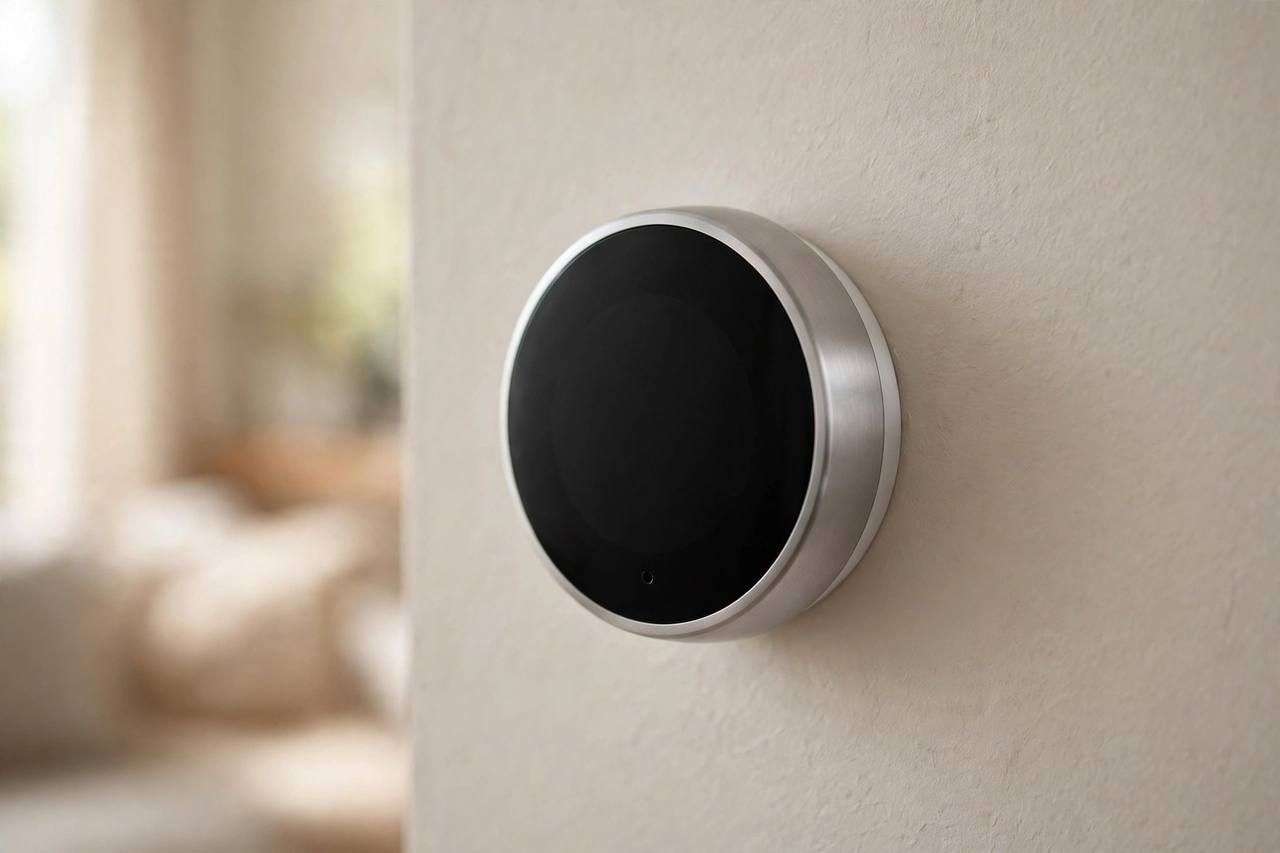
Heating and cooling eat roughly half of the average American home's energy bill, which is why the thermostat gets so much attention. A smart thermostat can genuinely lower that bill, but not by magic: it saves money by keeping the temperature lower or higher when nobody is home, learning your actual schedule, and showing you where the energy goes. This guide covers how the savings really work, the compatibility check you must do before buying, and which models are worth the money in 2026.
How Smart Thermostats Actually Save Money
The savings come from three behaviors, and you can judge any model by how well it handles them.
- Scheduling that you will actually keep: A smart thermostat makes schedules easy to set from your phone and easy to override. If your current programmable thermostat has been blinking 12:00 since 2019, automating the schedule alone can cut 8 to 10 percent off heating and cooling costs.
- Geofencing and auto-away: The thermostat uses your phone's location to dial back heating or cooling when the house is empty and restore comfort before you return. This is where most of the real savings happen for people with irregular schedules.
- Learning and room sensors: Higher-end models learn your patterns over a week or two, and room sensors fix the classic problem of one freezing bedroom and one sauna of a living room. Heating and cooling the rooms you use, rather than the whole house evenly, trims waste.
Be honest with yourself about the baseline. If you already program a schedule diligently and turn the system down when you leave, a smart thermostat might save you only 3 to 5 percent. The big wins go to households running heating or cooling on a fixed temperature around the clock.
The C-Wire Question: Check Before You Buy
This is the step most buyers skip, and it causes most installation headaches. Many smart thermostats need a C-wire, the common wire that provides continuous power. Without one, the thermostat may steal power from your system, which causes flickering, short cycling, or a dead display.
Checking takes two minutes. Turn off power to your HVAC system at the breaker, pull the thermostat faceplate off the wall, and look at the wire terminals. If a wire connects to the terminal labeled C, you are set. If not, you have three options: choose a model that includes a power extender kit (Ecobee's Enhanced and Premium models include one in the box), pick a model designed to work without a C-wire in many systems (the Nest Learning Thermostat manages this better than most), or hire a licensed electrician to run a C-wire, which typically costs $100 to $200.
Safety matters here even though thermostat wiring is low voltage. Always turn off the breaker before touching anything, photograph the existing wiring before disconnecting a single wire, and label each wire. If the wiring looks unfamiliar, if your system is a heat pump with auxiliary heat, or if anything about the setup confuses you, hire a licensed electrician or HVAC technician. A $150 service call is cheaper than a fried control board.
The Best Smart Thermostats for 2026
- Google Nest Thermostat ($130): The best value for most homes. Simple schedules, an easy app, and ENERGY STAR certification. It needs a C-wire in most installations, so check first. It lacks the learning features of its pricier sibling, but the schedule and geofencing cover most savings.
- Google Nest Learning Thermostat ($280): The premium pick. It learns your schedule over a week or two, has the nicest hardware, and handles missing C-wires better than any competitor. Worth it if you want the most hands-off experience and your home lacks a C-wire.
- Ecobee Smart Thermostat Essential ($130): The budget pick. It handles schedules, geofencing, and eco+ savings well, but it ships without a SmartSensor or power extender kit, so confirm you have a C-wire before buying.
- Ecobee Smart Thermostat Enhanced ($190): The sweet spot. It ships with a power extender kit for homes without a C-wire, adds radar-based occupancy sensing, and has an excellent app with detailed energy reports. Room sensors are sold separately, though they fix more comfort complaints than any scheduling trick.
- Ecobee Smart Thermostat Premium ($250): Adds an indoor air quality monitor, a built-in speaker with Siri or Alexa, and a SmartSensor in the box. Buy this over the Enhanced only if the air quality data or the bundled room sensor matters to you.
- Amazon Smart Thermostat ($80): The budget pick. It covers schedules and Alexa control well, but it needs a C-wire, lacks room sensors, and the app is basic. Fine for a simple forced-air system in a small home.
- Honeywell Home T9 ($170): The pick for multi-story homes with hot and cold spots. Its room sensors prioritize occupied rooms, and it handles complex multi-stage systems well. The app is less polished than Nest or Ecobee, but the hardware is proven.
Renters: What You Can Realistically Do
Many landlords allow a thermostat swap because it lowers the energy bill, but get permission in writing first. The swap itself takes 20 minutes: photograph the wiring, label the wires, mount the new base, and connect the app. Keep the original thermostat in a labeled box with its screws so you can reinstall it at move-out in the same 20 minutes.
If the landlord says no, you still have options. A SwitchBot Hub paired with its app can control a window AC or portable unit by infrared, giving you scheduling and phone control without touching the wall thermostat. Smart plugs rated for the heater's wattage can also schedule a space heater, though never run a space heater unattended regardless of how smart the plug is.
What to Look For: A Quick Checklist
- ENERGY STAR certification: Certified models average about 8 percent savings on heating and cooling. It is the one label worth filtering by.
- C-wire solution: Either confirm you have a C-wire or buy a model with an included power extender kit.
- System compatibility: Use the manufacturer's online compatibility checker and enter your exact wire labels. Most models handle forced air and heat pumps; few handle line-voltage baseboard heaters or millivolt systems.
- Room sensors: Worth paying for if any room runs noticeably hotter or colder than the hallway where the thermostat lives.
- App quality: You will use the app weekly. Check recent reviews, not the star average from three years ago.
Frequently Asked Questions
How much will a smart thermostat actually save me?
Typically 8 to 10 percent on heating and cooling for households that currently run a fixed temperature. On a $200 monthly energy bill where half goes to heating and cooling, that is roughly $8 to $10 per month, so a $130 to $190 thermostat pays for itself in about a year to two years.
Do I need a C-wire?
Many models do, some do not. Check behind your current thermostat for a wire on the C terminal. Ecobee's Enhanced and Premium models include a power extender kit for homes without one, and the Nest Learning Thermostat works without a C-wire in many systems. When in doubt, hire a licensed electrician rather than guessing.
Can renters install a smart thermostat?
Usually yes, with the landlord's permission. Keep the original thermostat and all its screws so you can swap it back at move-out. Document the original wiring with photos before you start.
Is installing a thermostat dangerous?
Thermostat wiring is low voltage, but you should still turn off the breaker before starting. The real risk is miswiring, which can damage your HVAC control board. If your system is a heat pump, has auxiliary heat, or the wiring does not match the install guide, hire a licensed electrician or HVAC technician.
Will a smart thermostat work with baseboard heaters?
Most smart thermostats do not support line-voltage electric baseboard heaters. You need a model specifically designed for line-voltage systems, such as the Mysa, or use smart thermostats made for that purpose. Standard Nest and Ecobee models are not compatible.
Do I need the expensive learning models, or is a basic one fine?
A basic scheduled model captures most of the savings if you set the schedule and leave it alone. Pay for learning and room sensors if your schedule is irregular, if rooms have uneven temperatures, or if your home lacks a C-wire and you want the simplest installation.