Your Smart Home Is Now the Attack Surface: A 6-Step Checkup From the 2026 IoT Report
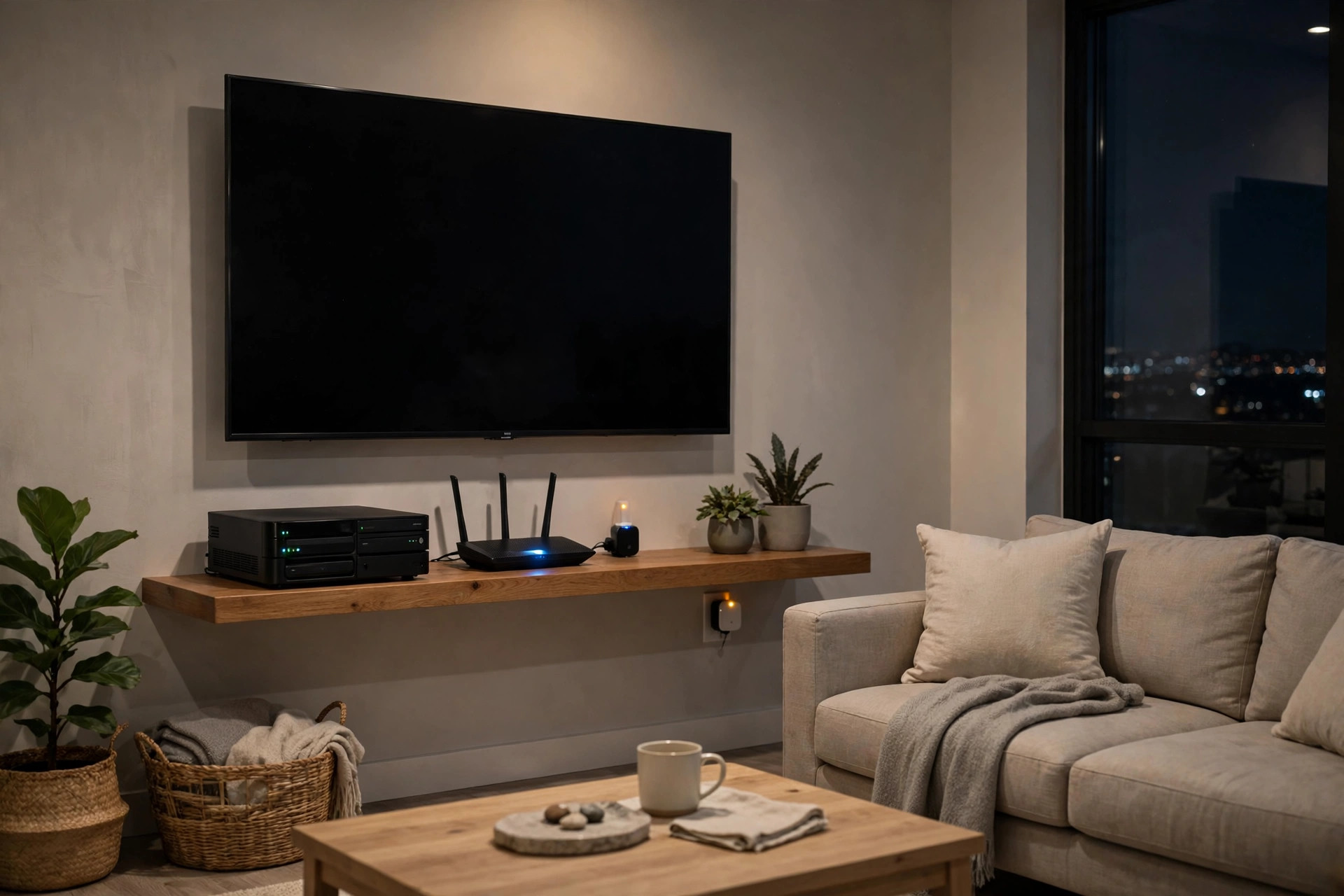
Your television, your smart plug, and the drive holding your family photos are not side devices anymore. In Bitdefender and NETGEAR's 2026 IoT Security Landscape Report, they are the center of the story. Together, televisions, smart plugs, and network-attached storage (NAS) devices account for roughly two-thirds of all vulnerability observations in the report.
That sentence needs a careful reading before it scares anyone. A vulnerability observation is a recorded match between a device and a known vulnerability. It is not a count of unique vulnerable products, and it is not a count of successful attacks. One device can contribute multiple observations. The report counts exposure, not break-ins. The practical point stands anyway: the devices we keep longest, and check least, carry the most recorded exposure.
What the report actually measured
The report draws on security events sampled from roughly 10.4 million protected home routers between January and September 2026. Across that period, sensors logged 5.4 billion security events and, according to Bitdefender's summary, approximately 1.20 billion vulnerability observations.
One caution belongs in the open. A secondary account of the report noted a different overall total in the report document itself, and the report document was not the source checked for this article. This article therefore attributes the approximately 1.20 billion total to Bitdefender's summary, and leans on the category counts and shares, which are consistent across the summaries, rather than on the overall total alone.
The average home now has 24 connected devices, according to NETGEAR's summary. Families keep smart devices for 5 to 10 years, while most makers send safety updates for just 2 to 4 years. That gap, between how long a device lives in your home and how long anyone still patches it, is where most of the risk lives.
The three devices at the top
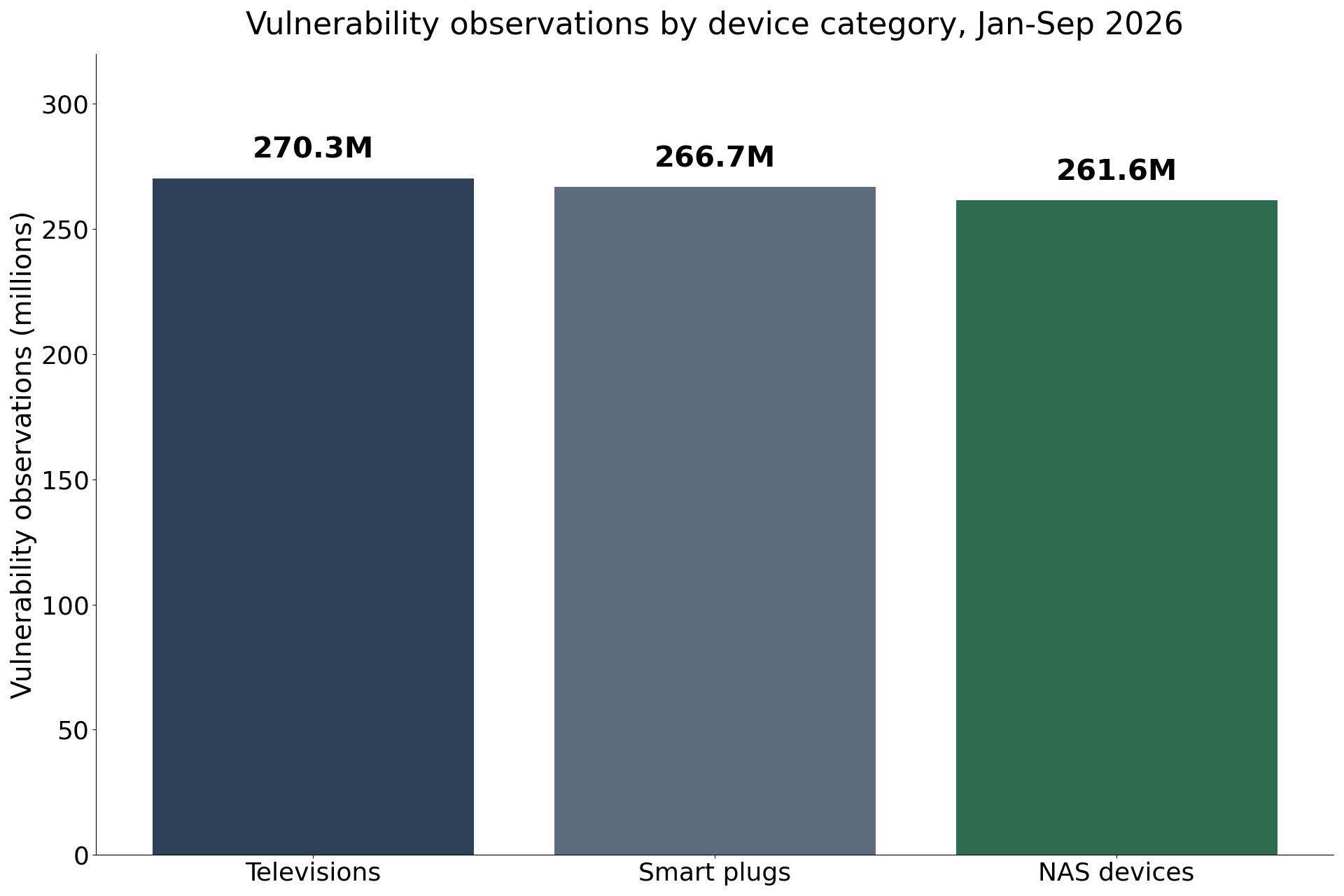
Televisions generated 270.3 million vulnerability observations, the largest count of any device category, or 22.7 percent of observations. Smart plugs followed with 266.7 million, or 22.4 percent. NAS devices accounted for 261.6 million, or 22 percent.
Why these three? A television can remain useful long after its maker stops issuing security updates. One TV model from 2020 still showed up 29.1 million times in the report's data. A smart plug can sit behind furniture for years without anyone checking its firmware, and once a plug stops being sold, it often stops getting fixes. A NAS device may hold irreplaceable files while running services and software its owner rarely reviews.
There is also a hopeful counterpoint in the report. NETGEAR notes that streaming sticks and boxes were among the riskiest devices last year and are not this year, largely because people installed their updates. That is the report's explanation, and it is encouraging precisely because it is ordinary: updates work, when they are installed.
Most of the noise is automated knocking
The report recorded 4.85 billion port scans, accounting for 90.1 percent of approximately 5.38 billion attack-category events. A port scan checks which services answer at an internet address. It can help an attacker identify potential targets, but it is not evidence that a device was compromised.
NETGEAR puts the same total in household terms: about two scans a day for every home, every single day, over the nine months. That is automated programs checking millions of homes for an easy target, like a device still using the password it came with. It is not a person watching your house.
Password brute forcing was the next-largest category, with 466.6 million brute-force events. Of those, 455 million targeted Windows Remote Desktop Protocol (RDP), a service used to access computers remotely. The lesson is concrete: remote-access services should not be left openly reachable from the internet.
And the headline rule for the whole report: a recorded attempt does not mean a device was hacked. It means something tried to get in. Anyone who tells you 5.4 billion events means 5.4 billion break-ins is misreading the report.
A device can serve someone else, without being hacked
The report also examines a stranger risk. Some free smart-TV apps bundle residential proxy software, which can relay third-party internet traffic through a household's connection, making requests appear to originate from that home. Some providers offer participation as an alternative to advertising and say they require consent and restrict customer use.
The question for the owner, as Bitdefender frames it, is whether the agreement makes the consequences clear: who uses the connection, what they can do with it, and how participation can be stopped. These commercial arrangements differ from malware that secretly recruits devices into a botnet, and this article does not conflate the two. But both show why a household's internet address and bandwidth can have value to other people.
NETGEAR frames the same idea as four roles a device can play: a break-in target, a borrowed connection, eyes and ears that collect information, and an open door, where one weak device gives access to everything else on the WiFi. The last three can happen while everything seems fine. The TV still streams. The plug still turns on the lamp.
The 6-step home checkup
Work through these in order. Most take minutes, and none requires buying anything first.
- Turn on automatic router updates, so fixes arrive on their own. Then do the same for every device that offers automatic updates.
- Change default passwords, router first, then cameras and other devices. Use a unique password for each device, and remove any default credential you find.
- Retire devices that no longer get updates, starting with old smart plugs. If the maker has gone quiet, the device should not stay connected on trust.
- Check your TV's privacy settings. Turn off viewing-data collection and voice features you do not use, remove unused apps, and review connection-sharing settings on TVs and streaming devices.
- Put smart gadgets on your guest network, apart from the family's phones and laptops. One weak device then has less to reach.
- Add protection that runs on its own, if you want it. Network-level protection can help identify connected devices and detect threats across equipment that cannot run conventional endpoint security software.
Two more habits complete the list from Bitdefender's guidance. Review remote-access settings on computers, routers, and NAS devices, disable unnecessary port forwarding and UPnP if you do not need it, and keep administration interfaces off the public internet. And maintain a separate backup of important files, so a storage device is never the only copy of anything irreplaceable.
One disclosure before you act on step 6. Bitdefender provides the security technology that powers NETGEAR Armor, the product named in the report's own summaries. That is a commercial interest, not a neutral recommendation, and Armor is not the only option. Updates, strong unique passwords, and retiring unsupported devices are free, and they come first in this checkup for a reason.
Before buying any new connected device, check its support period alongside its price and features. A bargain device from a maker with no track record of updates can cost more than it saves, in the years it stays connected after support ends.
Frequently Asked Questions
What is a vulnerability observation?
A recorded match between a device and a known vulnerability. It is not a count of unique vulnerable products or successful attacks, and one device can contribute multiple observations.
Which smart home devices have the most vulnerability observations?
Televisions (270.3 million, 22.7 percent), smart plugs (266.7 million, 22.4 percent), and NAS devices (261.6 million, 22 percent). Together they account for roughly two-thirds of all vulnerability observations in the report.
How many security events did the report log?
Sensors logged 5.4 billion security events between January and September 2026, sampled from roughly 10.4 million protected home routers. Bitdefender's summary puts vulnerability observations at approximately 1.20 billion over the same period.
Does 5.4 billion events mean 5.4 billion homes were hacked?
No. A recorded attempt does not mean a device was hacked. It means something tried to get in. Most attack-category activity was automated port scans, which check for open services but do not prove a device was compromised.
What is a port scan?
A check of which services answer at an internet address. The report recorded 4.85 billion port scans, or 90.1 percent of approximately 5.38 billion attack-category events.
What should I do first to secure my smart home?
Turn on automatic updates, change default passwords starting with the router, and retire devices that no longer receive updates, starting with old smart plugs. Then check TV privacy settings and put smart gadgets on a guest network.
Should I buy NETGEAR Armor because the report names it?
Not on this report alone. Bitdefender provides the technology that powers NETGEAR Armor, so that recommendation is not neutral. Start with the free steps in this checkup, and treat any paid protection as an optional extra, not the fix itself.
Can a smart TV app really share my internet connection?
The report discusses independent research into residential proxy software in some free smart-TV apps, which can relay third-party traffic through a household connection. Check what an app asks to do in the background, and remove apps you do not use.